SEO Reports for freegratisnya.com

Yetisports (Android Games)

Yetisports

Requirements :Android 2.2 or higher
Size:
14 MB Free
Version :
1.0.0
Developer : http://www.root9.org/

Description
The original is back! Yeti can now kick the penguin even further. We have completely reworked this classic game. What can you look forward to? 3D comic-style graphics, a classic mode, along with 8 extended levels, global high score lists and lots more. If you missed out on the original, which was downloaded over 300 million times, now is the perfect time for you to try it for yourself!
Have fun and "let me flyyyyyyy!"
THIS IS WHAT YOU DO
- Tap or click once to jump off.
- Tap or click again to swing yeti's club.
- Time this for best speed and hit angle.
- To control the Pingu once in fligt, tilt your device or use the Left/Right arrow keys
- The Pingu is aligned optimally, when aircushions begin to appear below his body
- Tap or click while in flight to flap you wings and gain some height
THIS IS WHAT YOU GET
- the most popular part of the YETISPORTS series
- gorgeous 3D background graphics
- global online highscores

Screenshoot:
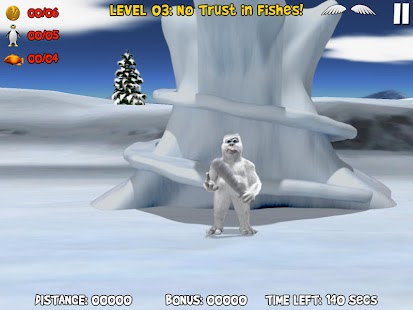
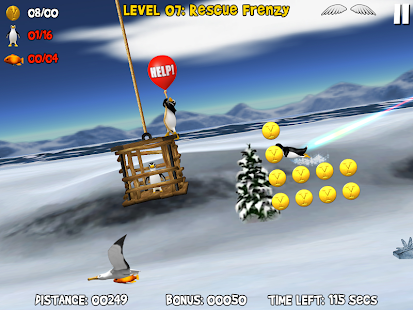
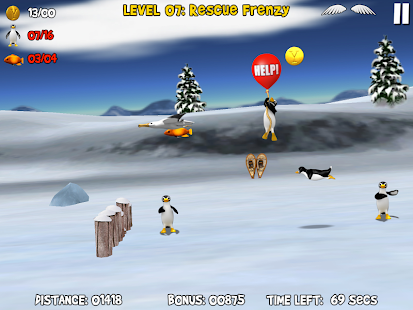
Screenshoot
https://lh6.ggpht.com/3AZf7rQAx1P6CJiPrIgLT3XsGXuSnrWQqgyL9wIK0W_aMtMMI2c5H3y8MUh6eTh5yA=h310   https://lh6.ggpht.com/SOjaOXHLYzna8ucvjT37k7Y5VSRqGdZMzaDwsi9jscID3TM5RCYehIWmQNNEI1-R4A=h310 
https://lh6.ggpht.com/dyFdvlsmjSRNckcuvFuPB8GLfsd3jOVd2BRlS8WR6OI3Ezqh4F9c2kKLFpOquso4UCZU=h310    http://images.mob.org/androidgame_img/yetisports/real/12_yetisports.jpg 


Installation guide:
Installation guide: (when you downloading files to your PC):
a) for Android games WITHOUT cache
1. Download the file.
2. If necessary, extract the game archive (by 7z or WinRAR)
3. Enter the game folder and copy files to your phone
4. Run the installation file of the game (*.apk)
5. Wait for the installation is complete.

b) for Android games WITH cache
1. Download the game cache and *.apk installation file.
2. Extract the archive with the game cache (by 7z or WinRAR) and copy extracted files to your phone to the folder which is specified in the game description. If the path to the cache isn't specified in the game description ask for it at our Facebook group
3. Then run the installation file of the game (*.apk).
4. Wait for the installation is complete.

Posted by ko On Tuesday, October 1, 2013 0 comments
Jika artikel ini bermanfaat,bagikan kepada rekan melalui:

Translate

Total Pageviews

Popular Posts